Ragdoll Destruction Playground Tools & Checklists
Practical utilities that make solo destruction sessions more deliberate.
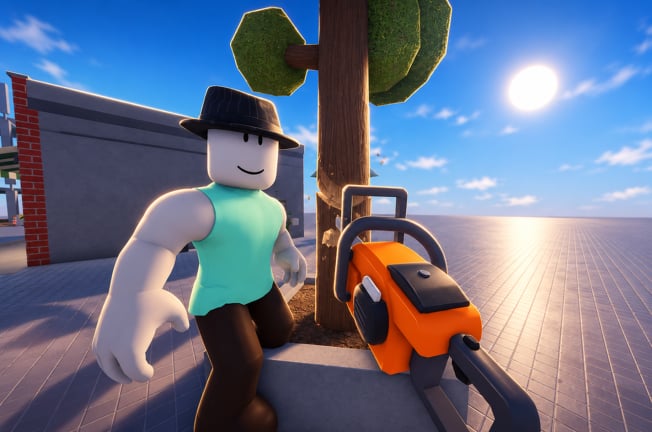
The Tools Hub collects lightweight utilities for Ragdoll Destruction Playground players who want structure without turning the sandbox into homework. These are wiki-side helpers—not in-game GUI mods. For executor scripts, use the Scripts Hub instead and read every warning.
Available tools
- Sandbox Checklist �?a repeatable experiment loop covering props, NPCs, explosives, fire, minigun, chainsaw, slow motion, and reset-map discipline
More calculators or planners can appear here later (for example unlock trackers) once Harpax Dev publishes deeper progression systems.
Why a checklist belongs on a destruction wiki
Early-access sandboxes reward curiosity but punish aimless spraying: you melt the map, frames tank, and you forget which variable caused the funny ragdoll. A short checklist keeps one variable in focus—exactly what the Weapons Tier List methodology needs.
Pair tools with:
- Getting Started for controls
- Minigun and Chainsaw Update for current toy context
- Codes Hub so you are not distracted by fake redeem utilities
What you will not find here
- Roblox executor downloads
- Fake code generators
- Account “boosters”
- Unverified third-party APKs
If a site claims it is a “Ragdoll Destruction Playground tool�?but asks for your password, close it and return to the Links Hub.
How to suggest a new wiki tool
Useful ideas include printable prop recipes, slow-motion timing charts, or multiplayer etiquette cards once multiplayer launches (see Players Hub). Suggest features that stay accurate without daily scraping. We prefer checklists and explainers over fragile live scrapers.
Session template (preview)
- Goal statement (one sentence).
- Primary tool + optional modifier (for example explosives + slow motion).
- Prop/NPC seed description.
- Take one run; note result.
- Reset map; change one variable.
- Optional clip review.
- Log whether ranks on the weapons list still feel right.
The full printable-style detail lives on the Sandbox Checklist child page.
Related hubs
- Guides Hub
- Tier List Hub
- Updates Hub
- Scripts Hub �?separate risk category
- Links Hub
Use tools to slow your brain down just enough that every boom teaches something. The sandbox stays silly; your iteration gets sharper.
How tools connect to the rest of the wiki
Use this hub as a thin planner layer on top of deep articles:
- Learn verbs in Controls before you time a checklist run.
- Pull combo ideas from Weapons and Explosives.
- Capture results with Slow Motion.
- Keep the lab honest with Map Reset.
- Re-rank favorites on the Weapons Tier List after a week of checklist loops.
- Watch Updates so you are not practicing obsolete habits after a patch.
If a future tool page appears (unlock trackers, prop recipe cards, or clip shot lists), it will live under this same category and link back to the Sandbox Checklist as the default warm-up.
Frequently Asked Questions
Quick answers to the most common questions.
Are these in-game tools?
No. They are wiki checklists and utilities that help you plan sessions inside the official sandbox.
Where is the sandbox checklist?
Open the Sandbox Checklist child page linked from this hub.
Do you host executors here?
No. Script discussion lives under Scripts with safety disclaimers. This Tools Hub stays free of injector downloads.
Will unlock trackers be added?
Possibly, once unlockable item progression is documented enough to track without constant guesswork.
Can checklists help with tier list testing?
Yes. Changing one variable per reset is the core method behind the weapons rankings.