Ragdoll Destruction Playground Admin Command Menu Script
Infinite Yield–style commands for the solo destruction sandbox—use at your own risk.
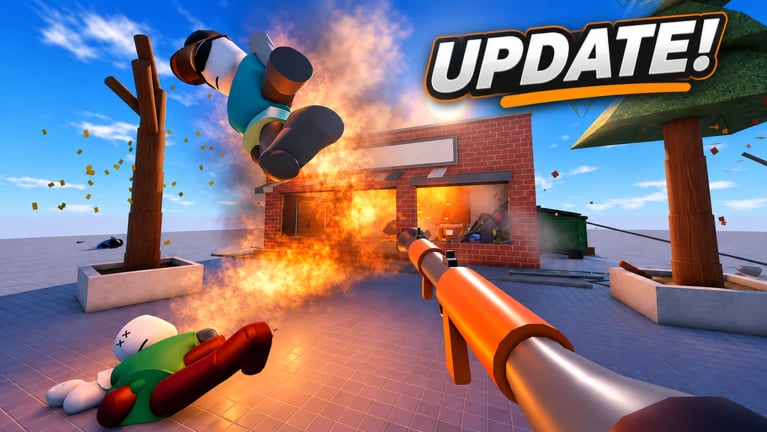
The most requested script family for Ragdoll Destruction Playground is an admin command menu in the Infinite Yield style: a floating GUI, a command bar, and quality-of-life toggles such as fly or noclip. This page documents the commonly shared loadstring, what the GUI offers, and how people attach it with a third-party executor.
Disclaimer: Injecting scripts can break Roblox Terms of Use and may result in warnings, bans, or worse. This sandbox is currently single-player (maxPlayers 1), but moderation is still account-based. Prefer native tools whenever possible—see the Scripts Hub disclaimer and the Weapons Tier List for official toys.
Loadstring
Community posts for this game frequently share the classic Infinite Yield–style source:
loadstring(game:HttpGet('https://raw.githubusercontent.com/EdgeIY/infiniteyield/master/source'))()Paste that entire line into your executor’s script box after the game has loaded, then run it once. A command GUI should appear if the executor and environment support it.
Do not download random “IY cracked�?executables. Prefer the open GitHub raw source above over opaque binaries.
What the admin GUI usually provides
Feature sets vary by version, but Infinite Yield–style menus typically include:
- Command bar �?type short commands instead of hunting buttons
- Fly / flight speed �?move around large destructible maps quickly
- Noclip �?pass through leftover debris when the pile gets messy
- Refresh / rejoin helpers �?recover after heavy physics sessions
- Esp or object utilities �?inspect props and NPCs (situational in a solo sandbox)
- Dummy / character utilities �?depend on what the script exposes that day
In Ragdoll Destruction Playground, the highest practical value is navigation and recovery after catastrophic explosions—not competitive PvP cheats. Native slow motion, minigun, chainsaw, and explosives already cover spectacle; see the Minigun and Chainsaw Update.
How to use an executor (general steps)
- Launch Roblox and join the official Ragdoll Destruction Playground place by Harpax Dev.
- Wait until weapons, props, and the HUD are fully interactive.
- Open your executor and attach / inject into the Roblox client (wording differs per tool).
- Paste the loadstring from this page.
- Execute once; wait for the admin GUI.
- Open the command bar, test a harmless command (for example a fly toggle), then continue your destruction session.
- If the map becomes unstable, use the game’s reset map control or rejoin—see Getting Started.
If nothing appears: the executor may be outdated, HttpGet may be blocked, or the place may have changed. Do not chain five different “fix�?scripts from strangers.
Safety checklist
| Do | Do not |
|---|---|
| Use the known GitHub raw loadstring | Run mystery .exe “keyless�?packs from DMs |
| Inject only on accounts you accept risking | Enter your password into fake key websites |
| Combine with native reset-map after huge blasts | Expect scripts to redeem promo codes |
| Read patch notes after updates | Assume solo play means zero ban risk |
| Unload / close the GUI when finished | Share paid executor licenses in public chats |
Fake “admin panels�?that ask you to log in through a browser are phishing. Real Infinite Yield–style tools draw a GUI inside the client after a loadstring—not a Roblox login form.
How this fits the sandbox fantasy
Harpax Dev’s pitch is an interactive physics playground with intelligent ragdolls, world destruction, unlockable items, NPC behaviours, fire, and cinematic slow motion. An admin menu is a power-user overlay on top of that fantasy. Many players never need it: a structured session with the Sandbox Checklist already delivers chainsaw chaos, minigun spray, and timed detonations.
If you want a feature that feels missing (better camera, saveable setups, multiplayer lobbies), send feedback through channels on the Players Hub instead of only patching symptoms with commands.
Troubleshooting
- GUI opens then closes �?executor instability; try reattach once, then rejoin the place.
- Commands error in the bar �?script version mismatch after a Roblox or game update; wait for the open source to update.
- Physics explode worse with fly �?stop flying inside dense debris; reset the map.
- Nothing happens on execute �?confirm you are in the live player client, not Studio, and that HttpGet is allowed by your executor.
Related pages
- Scripts Hub �?script types and broader warnings
- Getting Started �?official controls and reset map
- Updates Hub �?know which tools became native
- Codes Hub �?no verified codes; admin menus do not replace redeem UI
- Links Hub �?official place URL
Use admin commands thoughtfully, keep expectations realistic, and remember the best “script�?in this game is still a well-timed slow-motion explosion you triggered with vanilla tools.
Frequently Asked Questions
Quick answers to the most common questions.
What is the Admin Command Menu loadstring?
The commonly shared Infinite Yield–style line is loadstring(game:HttpGet('https://raw.githubusercontent.com/EdgeIY/infiniteyield/master/source'))(). Paste it into an executor after the game loads.
Is Infinite Yield safe?
No injector script is risk-free. The open GitHub source is better known than random files, but account moderation risk remains. Use at your own risk.
Do I need an admin menu to use the minigun or chainsaw?
No. Those weapons are official update content. See the Minigun and Chainsaw Update page and the weapons tier list.
Can the admin menu redeem codes?
No. Promo codes use official redeem UI when they exist. Treat any script that promises free codes as a scam.
Why did the GUI stop working after an update?
Roblox client changes or place updates can break executors and scripts. Rejoin, update your executor, or wait for the open-source menu to adapt.